.svg)
Overview
This document provides an overview of what’s required to successfully install Agent-Side Assist with NICE CXone Studio.
Agent Assist (AA) is a real-time support tool that enhances agent performance during customer interactions by providing dynamic suggestions, automated actions, and contextual knowledge search. It is designed to reduce agent cognitive load, shorten response times, and ensure consistency across all conversations.
AA operates as an extension of the OCP platform, integrating Natural Language Understanding (NLU) models, orchestrator flows, and knowledge base resources to support voice or chat interactions in real time.
The core functionality includes:
-
Live transcript monitoring: Continuously processes the active conversation.
-
Intent-based response suggestions: Uses trained models to detect customer intent and suggest responses or actions.
-
Knowledge search: Retrieves relevant knowledge base content based on detected keywords or context.
You can read more information about the Agent Assist Widget features in the Agent Assist Widget User Guide.
Prerequisites
Before you integrate Agent Assist with NICE CXone Studio you must first have completed the following tasks:
-
Arrange a free call number available in NICE.
-
Create a Personal Access Token that belongs to the same group of your VB profile.
API integration is only necessary in Agent Assist through Call Recoding. It is not required for AA audio streaming services.
Audio Streaming using NICE Agent Assist Hub
In order for AA to work in a CCaaS platform, it is necessary to stream the audio from both channels in real-time. NICE provides the ability for AA to receive the audio stream from both Patron and Agent channels. A NICE Agent Assist Hub custom integration must be set up and configured.
Creating and Configuring the NICE Agent Assist Hub:
-
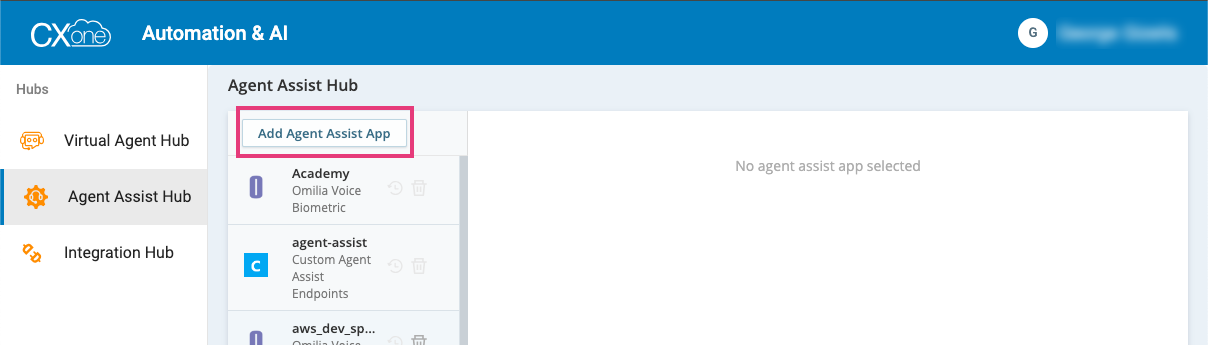
From Agent Assist Hub click Add Agent Assist App
-
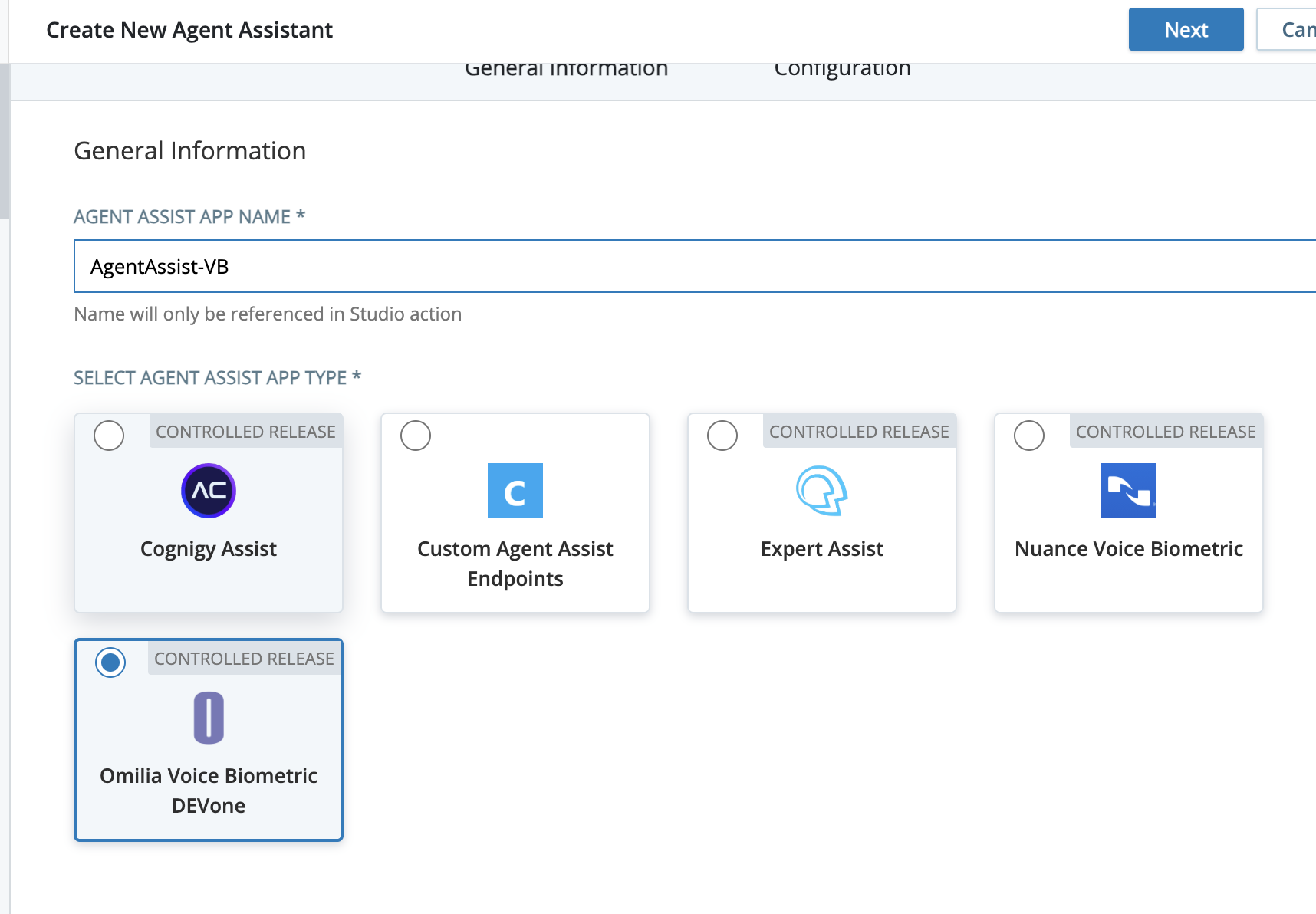
Select Omilia Voice Biometric, enter an agent name, and click Next:
-
Configure the Agent Assist Hub bot:
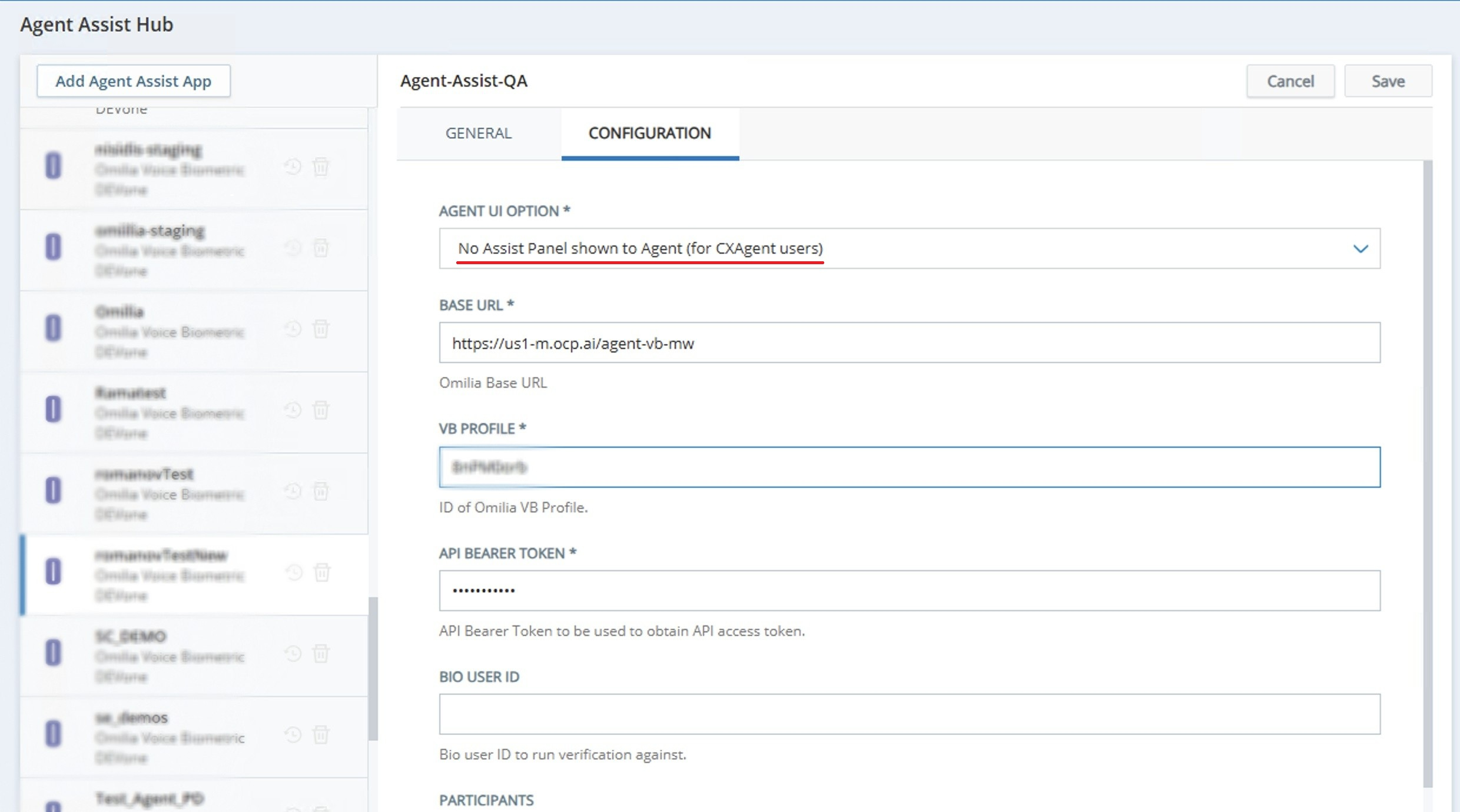
In the table below, one can find the parameters that need to be configured in the Agent Assist Hub application:
|
Field |
Description |
Value |
|---|---|---|
|
AGENT UI OPTION |
Defines how the Agent Desktop UI will be displayed. |
No Assist Panel shown to Agent (for CXAgent users) |
|
Base URL |
Defines the URL of the VB service. |
|
|
VB PROFILE |
Defines the VB profile ID of your project. |
Your project VB profile ID |
|
API BEARER TOKEN |
Defines API Bearer Token to be used to obtain API access token. |
The token generated for the VB service needed for further work |
|
BIO USER ID |
Defines the bio user ID to use for verification. |
The value of the ID/field of your VB form (for example, ANI, SSN etc) |
|
PARTICIPANTS |
Determines the relay targets - channels to be streamed to Agent Assist middleware |
Both (in our case we need both Patron and Agent) |
NICE CXone script
To create a new script log in NICE CXone Studio, follow the steps below:
-
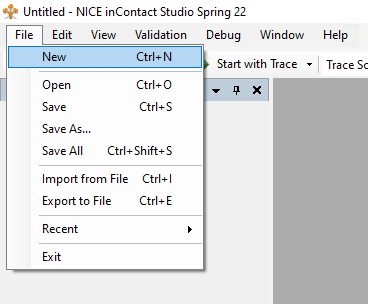
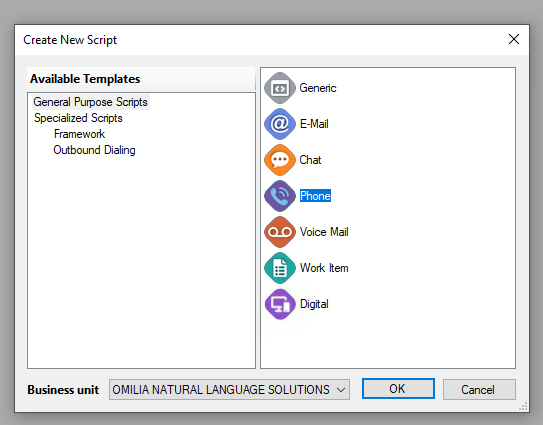
Select a new script file from the File menu
-
Select a General Purpose Script for a Phone application.
-
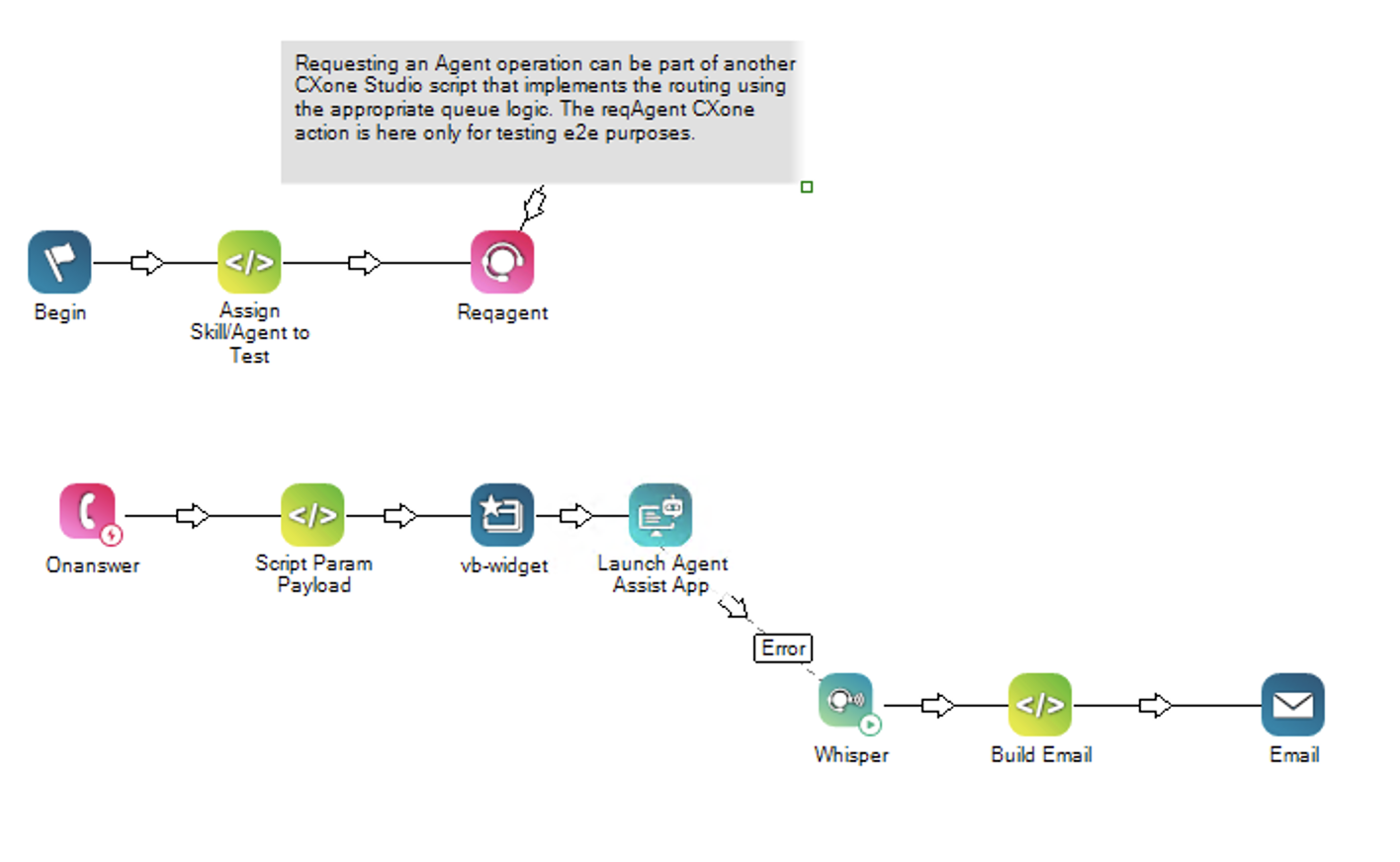
Create a script. Use the sample below as a foundation.
-
Configure the Script Param Payload. Add the following snippet.
DYNAMIC customPayload
ASSIGN customPayload.Ani="{ANI}"
customPayload.callIdAsSessionToken="true"

// example of prefilling the bio-key named 'SSN' to the Agent VB widget
//ASSIGN customPayload.SSN="2342"

customPayloadJSON="{customPayload.asJSON()}"
-
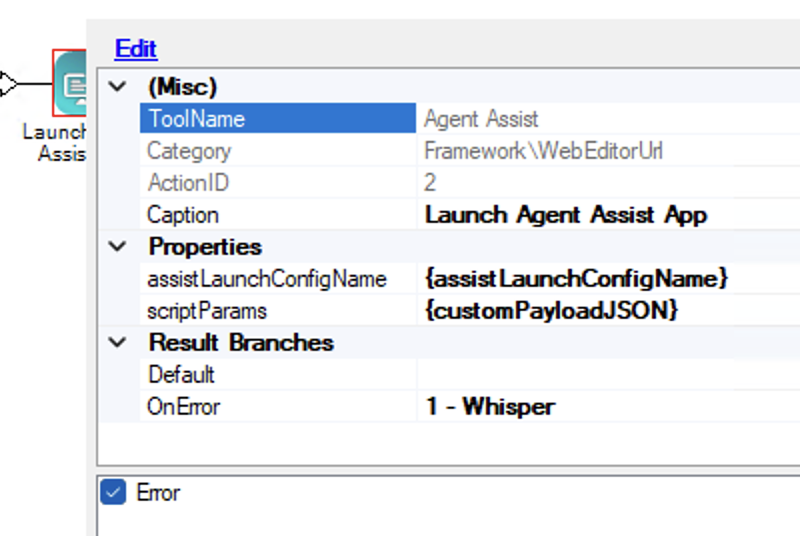
Ensure that the
scriptParamsproperty in the Agent Assist action is set to {customPayloadJSON}. -
agent_assist_profile_id is one’s profile id as copied from OCP Console following the configuration;
-
customProperties must include callIdAsSessionToken set to true; other parameters are optional and depend on the project’s needs.
-
Insert the name of the Agent Assist Application as created in the NICE Agent Assist Hub.
-
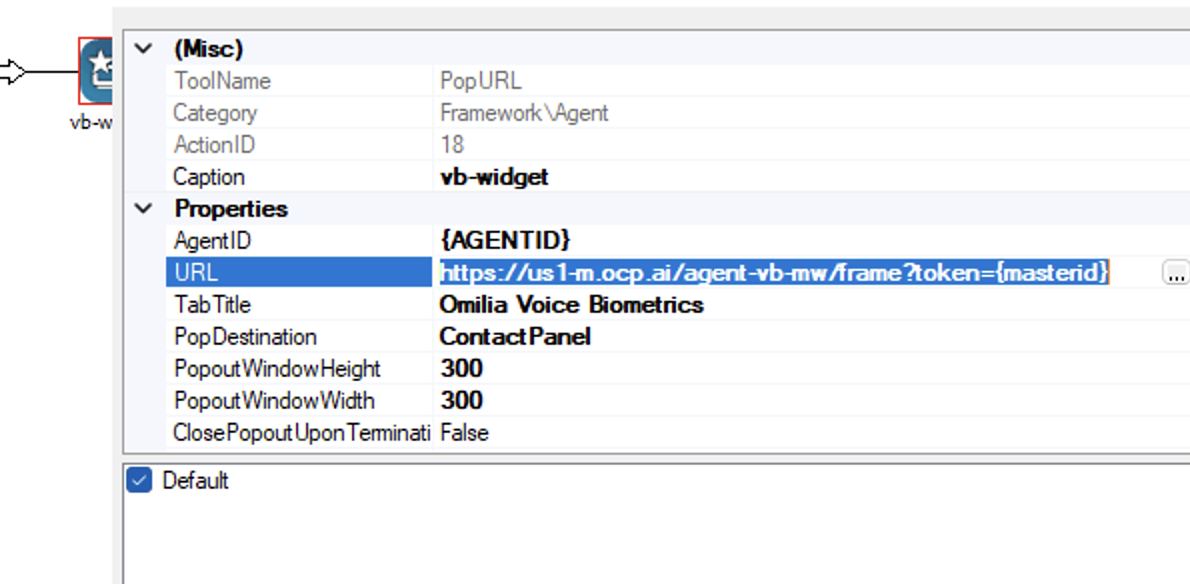
Configure the popURL action with a proper URL:
https://us1-m.ocp.ai/agent-vb-mw/frame?token={masterid}
You can download a sample NICE CXone script that escalates a call directly to an agent and launches the Agent Assist UI:
AgentAssist-CxOneAgent.XML
See also: