.svg)
AGI connector 4.21.1
Fixes
-
Reliable FCR Recording Filename: Fixed an issue where the connector built the call recording filename using the wrong group identifier, causing recordings to be filed under an unexpected group. The connector now uses the correct audio group, so FCR recordings land where they are expected.
Security
-
Security patches applied for High-severity CVE in
logback-classic(CVE-2025-11226).
DiaManT. 10.41.0
New Features
-
DTMF Intent Mapping - Added support for mapping DTMF key presses directly to intents. When a user presses a mapped key, the corresponding intent is activated. Unmapped keys follow existing DTMF behavior unchanged.
Bug Fixes
-
Incorrect TTS provider - Fixed an issue where, in certain subdialog (miniApp) configurations returning responses with multiple prompt parts (for example, a normal prompt and a hold music prompt), the parent dialog could receive an incorrect TTS provider origin after the child flow completed.
Orchestrator 1.33.0
-
Advances QnA agent capabilities and supports task agents as reusable flows. QnA agent UI is refined for seamless configuration workflows.
-
Dedicated QnA agents provide flexible knowledge base integration across diverse project configurations.
-
Task agents are now deployable as standalone flow components with configurable inputs and outputs.
For more information, go to Agentic Flows.
Orchestrator 1.33.1
-
BugFixes and security updates
Orchestrator 1.33.2
New Features
-
Agent tool components support marking individual output fields as secret. When configuring an agent's MCP tools, you can flag specific output fields with a "secret" marker. These fields appear in the agent card, enabling downstream consumers to identify and handle secret data appropriately.
Bug Fixes
-
The agent tool drawer form could silently drop field values during editing.
Orchestrator 1.34.0
New Features
-
Smarter Agent Routing with Concierge You can now use Concierge as a flow type within your OCP applications, enabling more sophisticated routing logic. Router agents now expose routing parameters as output fields, giving you greater control and visibility over how calls are directed between flows and agents. For more information, go to What are OCP® Agents.
-
Expanded MCP Connectivity MCP connectors now support a third transport type - Streamable HTTP - in addition to the existing SSE and stdio options. This gives you more flexibility when integrating external tools and services into your applications.
-
Better Canvas Experience Several canvas improvements make building and navigating complex applications easier:
-
Your canvas position and zoom level are now remembered when switching between the main canvas and sub-flows - no more losing your place
-
Node annotations are now available to help document and organise your canvas
-
A new warning message alerts you when a canvas is becoming complex, helping you manage performance proactively
-
Keyboard navigation is now fully supported across canvas nodes, switches, and the sidebar. For more information, go to OCP Keyboard Navigation.
-
-
Improved Agent Management The vector store dropdown experience on agents has been improved, and agent icons now display correctly throughout the platform, including on the edit page and in sub-agent views.
-
New Knowledge Base Type for QnA Agents - Chunk QnA agents now support a third knowledge base configuration type:
chunk. In addition to the existing document type (project ID + input schema) and rag type (project ID + vector store), the new chunk type requires only a project ID - making it faster and simpler to connect a chunk-based knowledge source without additional schema or vector store configuration.
Security Improvements
This release includes important security hardening around user data in logs. User email addresses and usernames are now automatically redacted from system logs and audit events in production environments, while user IDs are retained for support and correlation purposes. This ensures sensitive personally identifiable information is not exposed in operational logs.
Bug Fixes
-
Canvas zoom no longer triggers unintentionally when scrolling
-
Pages no longer refresh unexpectedly on save in Firefox
-
Agent settings now correctly update canvas node output fields when changes are made
-
Text-to-speech no longer crashes when the providers request fails
-
Drawer forms now correctly preserve all field values
For more information, go to Getting Started with Orchestrator.
Orchestrator 1.34.1
Bug Fixes
-
Fixed an issue with Anything Else components for Concierge Agents.
Omilia NLU Service 1.13.0
New Features
-
New Locale Support - OCP Conversational Natural Language® now supports seven additional locales: Swedish (
sv-SE), Norwegian (no-NO), Dutch Belgium (nl-BE), Dutch Netherlands (nl-NL), Polish (pl-PL), Hebrew (he-IL), and Danish (da-DK). -
Entity Value Suggestions Enhancement - The entity suggestion feature now includes a mandatory description field and an optional system prompt field, allowing you to guide the AI-generated lexicon more precisely and generate more relevant entity values.
Improvements
-
Group-Level NextGen Control - Administrators can now enable or disable NextGen application creation at the group level through a new flag in the Admin Groups area, providing granular control over NextGen feature rollout.
-
Dictionary Upload for xPack Entities - You can now upload CSV files to add values and alternatives to xPack entities, making it easier to extend pre-built entity definitions without manual entry.
-
Refreshed User Interface - The console interface has been updated with improved colors, typography, icons, spacing, and illustrations for a more modern and consistent user experience.
-
Deployment Status Warning - When viewing an artifact that is already deployed, a warning message now appears to inform you that only one deployment per artifact is allowed.
-
Enhanced Context Rule Formatting - The context rule panel now provides clearer instructions and tooltips for advanced formatting options, making it easier to configure complex context rules.
-
Larger Training Dataset Support - The 1MB file size limit for DistilBERT models has been removed, allowing you to upload larger training datasets (up to 3MB) for English models.
-
Improved Error Messaging - When the NLU Engine is temporarily unavailable, the system now returns a clear warning message instead of a generic error, improving the troubleshooting experience.
-
Simplified Resource Limits - Resource limitation logic has been refactored to prioritize group-level limits over environment variables, providing more predictable and manageable resource allocation.
-
Business-Critical Application Protection - Applications marked as business-critical are now kept running indefinitely, regardless of idle period, ensuring uninterrupted service for production deployments.
-
Artifact Renaming - You can now rename existing artifacts through a new API endpoint, making it easier to keep your project organization accurate and up to date.
-
ML Model ID in xPack Response - The xPack API response now includes the associated ML Model ID, making it easier to track versions and perform rollbacks when needed.
-
IAM Authentication - The platform now supports AWS MSK IAM authentication, enhancing security and simplifying credential management in cloud environments.
-
Enhanced Accessibility - The user interface now maintains full functionality at 200 percent zoom level, meeting WCAG 2.1 AA accessibility standards for users with visual impairments.
Security
-
This release includes security updates.
For more information, go to OCP Conversational Natural Language® User Guide.
Pathfinder 1.8.5
Knowledge Base Management
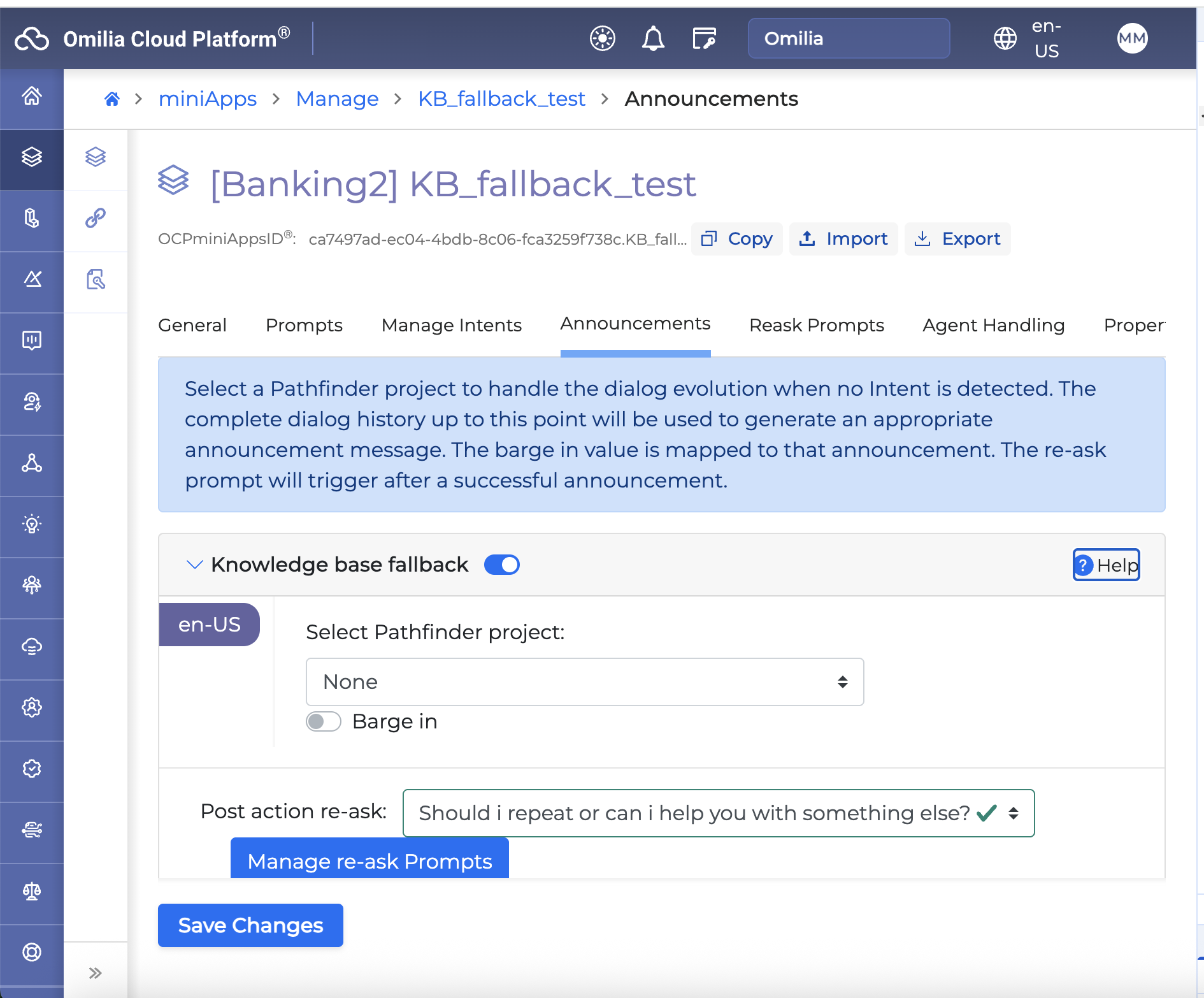
You can now upload and manage your own documents directly within Pathfinder:
-
Upload documents (PDF, DOCX, TXT, CSV) to any project - they are automatically processed and indexed for search.
-
Intelligent hybrid search across your documents combining semantic understanding with keyword matching for more accurate results.
-
Review and approve content - after ingestion, review, edit, and approve individual chunks before they go live.
-
Document versioning - compare revisions and roll back to a previous version if needed.
-
Custom metadata fields - define project-level metadata (e.g., department, category, effective date) to organize and filter documents.
-
Per-project configuration - enable/disable Knowledge Base and choose retrieval modes per project.
Improvements
-
Service accounts can now correctly access the projects endpoint, improving automation and API integration workflows
For more information, go to Pathfinder User Guide.
Pathfinder 1.8.7
New Features
-
Knowledge Base - FAQ PDF Ingestion
Pathfinder now supports a dedicated ingestion mode for structured PDF documents. When you upload a PDF as an FAQ document, the content is automatically processed into distinct Q&A entries - each with a canonical question and a set of answer paraphrases - rather than raw text chunks. This makes retrieval more accurate for document-heavy knowledge bases and gives you fine-grained control through an inline review and approval workflow before content goes live. -
ZIP Batch Upload for Knowledge Base Documents
You can now upload a ZIP archive containing multiple PDF files in a single operation. All documents in the archive are ingested asynchronously and appear in your knowledge base list once processing is complete. -
Publish All Documents
A new Publish All button on the Knowledge Base page lets you bulk-publish all approved documents at once, removing the need to publish each entry individually. -
Inline PDF Viewer
When reviewing a knowledge base document, a new Document tab displays the original PDF directly within the page, so you can cross-reference source content while managing entries and paraphrases. -
New Knowledge Base Type for QnA Agents - Chunk
QnA agents now support a third knowledge base configuration type: chunk. In addition to the existing document type (project ID + input schema) and rag type (project ID + vector store), the new chunk type requires only a project ID - making it faster and simpler to connect a chunk-based knowledge source without additional schema or vector store configuration. -
Vector Store Index Management
A dedicated Manage Indexes page is now available for each project, giving you visibility into the state of your vector store indexes and a centralised place to manage them. -
Updated Embeddings Service
The underlying embeddings service has been updated to improve vector quality and retrieval accuracy across all knowledge base projects. -
Claude 4 Model Support
Pathfinder now supports Anthropic's Claude 4 model family via AWS Bedrock. You can select Claude 4 models in your project-level LLM settings without any additional configuration changes.
Security Improvements
User email addresses and usernames are now automatically redacted from system logs and audit events in production environments, while user IDs are retained for support and correlation purposes. This ensures sensitive personally identifiable information is not exposed in operational logs.
Bug fixes
-
Knowledge base documents uploaded as a ZIP batch are now correctly tagged with the right ingestion type.
-
PDF documents now render inline in the document viewer instead of triggering a download.
-
The knowledge base upload status indicator now correctly reflects progress for batch (FAQ PDF) ingestion jobs.
-
Pathfinder workers now shut down cleanly without dropping in-flight tasks.
TTS 2.7.0
New Features
-
Ukrainian (uk-UA) - Olesia Female voice v1.0.0: Our new female Omilia Ukrainian voice, Olesia is now available. It has a professional, grounded style.
Updates
-
English (en-US) - Oliver Happy v1.0.5 and Oliver v1.1.3 : Lexicon extension
-
Greek (el-GR) - Nefeli v1.1.3: Lexicon extension
-
English (en-US) - SSML dash handling : Dashes within SSML tags are now correctly parsed and handled to ensure audio is correctly being generated
-
Security patches
-
Improved URL and email verbalization across all locales to ensure correct, natural-sounding output. The following improvements are required:
-
Slash ( / ) and dash ( - ) pronounced (locale-specific) - Change
Locale(s): en-GB
Input example: https://www.example.com/my-page
Old output: "slash" and "dash"
New output: "forward slash" and "hyphen" -
Equal sign (=) pronounced in URLs - Addition
Locale(s): All (English & Greek)
Input example: https://www.ocp.ai/input=?$ad
Old output: "ocp dot ai slash input question mark dollar sign ad" (equal sign skipped)
New output: "ocp dot ai slash input equal sign question mark dollar sign ad" -
FTP prefix pronunciation fix in FTP URLs - Bug fix
Locale(s): All
Input example: ftp://ftp.example.com/resource
Old output: "ftp colon double slash tifi dot example dot com slash resource"
New output: "ftp colon double slash ftp dot example dot com slash resource" -
Port number colon in URLs - Addition
Locale(s): All
Input example: http://example.com:8080/path/to/resource
Old output: "example dot com 8080 slash path slash to slash resource"
New output: "example dot com colon 8080 slash path slash to slash resource" -
IP address URLs pronounced clearly - Bug fix
Locale(s): All
Input example: http://123.123.123.123/path/to/resource
Old output: unclear / not understandable
New output: "one hundred twenty three dot one hundred twenty three dot one hundred twenty three dot one hundred twenty three slash path slash to slash resource" -
Percent-encoded (% … % ) characters pronounced in URLs - Addition
Locale(s): All
Input example: http://example.com/path%20with%20spaces
Old output: "example dot com slash path twenty with twenty spaces" (percent sign ignored)
New output: "example dot com slash path percent two zero with percent two zero spaces"
-
xPacks 1.16.0
Fixed OCP xPacks
-
en-US Universal deepNLU® xPack v3.15.0-
Improved detection of multiple consecutive 13-digit numeric-only tracking numbers (Cardinals) separated by a single space as distinct Alphanumeric entities in chat, preserving existing comma and slash separator behavior.
-
Resolved an Alphanumeric extraction issue where a preceding colon caused incomplete capture of tracking numbers.
-
-
en-US Universal+ deepNLU® xPack v3.15.0-
Improved detection of multiple consecutive 13-digit numeric-only tracking numbers (Cardinals) separated by a single space as distinct Alphanumeric entities in chat, preserving existing comma and slash separator behavior.
-
Resolved an Alphanumeric extraction issue where a preceding colon caused incomplete capture of tracking numbers.
-
-
en-AU Universal deepNLU® xPack v3.6.0-
Improved detection of multiple consecutive 13-digit numeric-only tracking numbers (Cardinals) separated by a single space as distinct Alphanumeric entities in chat, preserving existing comma and slash separator behavior.
-
Resolved an Alphanumeric extraction issue where a preceding colon caused incomplete capture of tracking numbers.
-
-
en-GB Universal deepNLU® xPack v3.14.0-
Improved detection of multiple consecutive 13-digit numeric-only tracking numbers (Cardinals) separated by a single space as distinct Alphanumeric entities in chat, preserving existing comma and slash separator behavior.
-
Resolved an Alphanumeric extraction issue where a preceding colon caused incomplete capture of tracking numbers.
-
-
en-GB Universal+ deepNLU® xPack v3.14.0-
Improved detection of multiple consecutive 13-digit numeric-only tracking numbers (Cardinals) separated by a single space as distinct Alphanumeric entities in chat, preserving existing comma and slash separator behavior.
-
Resolved an Alphanumeric extraction issue where a preceding colon caused incomplete capture of tracking numbers.
-
-
de-DE Universal deepNLU® xPack v3.17.0-
Improved detection of
DIALOGACT(value=NEW_TASK) in the Anything else step.
-
-
de-DE Universal+ deepNLU® xPack v3.17.0-
Improved detection of
DIALOGACT(value=NEW_TASK) in the Anything else step.
-
-
pt-BR Universal deepNLU® xPack v3.5.0-
The Numeric logic has been improved to output multiple values for ambiguous spoken inputs (e.g., “oitocentos oito” can now correctly resolve to both 808 and 800 8 depending on context), improving accuracy for edge cases in Portuguese numeric recognition.
-
Hesitation markers occurring between parts of a numeric sequence no longer cause NLU to incorrectly split the span into separate entities. Numeric sequences interrupted by hesitations are now correctly recognized as a single continuous entity.
-
-
pt-PT Universal deepNLU® xPack v3.12.0-
The Numeric logic has been improved to output multiple values for ambiguous spoken inputs (e.g., “oitocentos oito” can now correctly resolve to both 808 and 800 8 depending on context), improving accuracy for edge cases in Portuguese numeric recognition.
-
Hesitation markers occurring between parts of a numeric sequence no longer cause NLU to incorrectly split the span into separate entities. Numeric sequences interrupted by hesitations are now correctly recognized as a single continuous entity.
-
-
uk-UA Universal deepNLU® xPack v3.7.0-
Improved dialog act recognition for agent-transfer requests and repeat requests.
-
Reduced
Yes/NominiApp misclassification where YesNo could interfere with REPEAT_REQUEST.
-
-
uk-UA Universal+ deepNLU® xPack v3.7.0-
Improved Ukrainian address recognition, with enhanced
UALocationIndicatorgeneration. -
Updated Ukrainian administrative areas resource with additional entries.
-
Fixed Ukrainian location disambiguation to reduce false negatives when UACity and UAVillage overlap with UASettlement.
-
-
en-US Universal 2.0 deepNLU® xPack v2.6.0.nlu -
en-US Universal+ 2.0 deepNLU® xPack v2.6.0.nlu