
Overview
This page documents the configuration options available for each Chat Integration, allowing you to transfer conversations from the bot to a live agent whenever needed.
To configure a chat provider, go to Integrations → Integrate → Chat, select your provider, and click Configure.
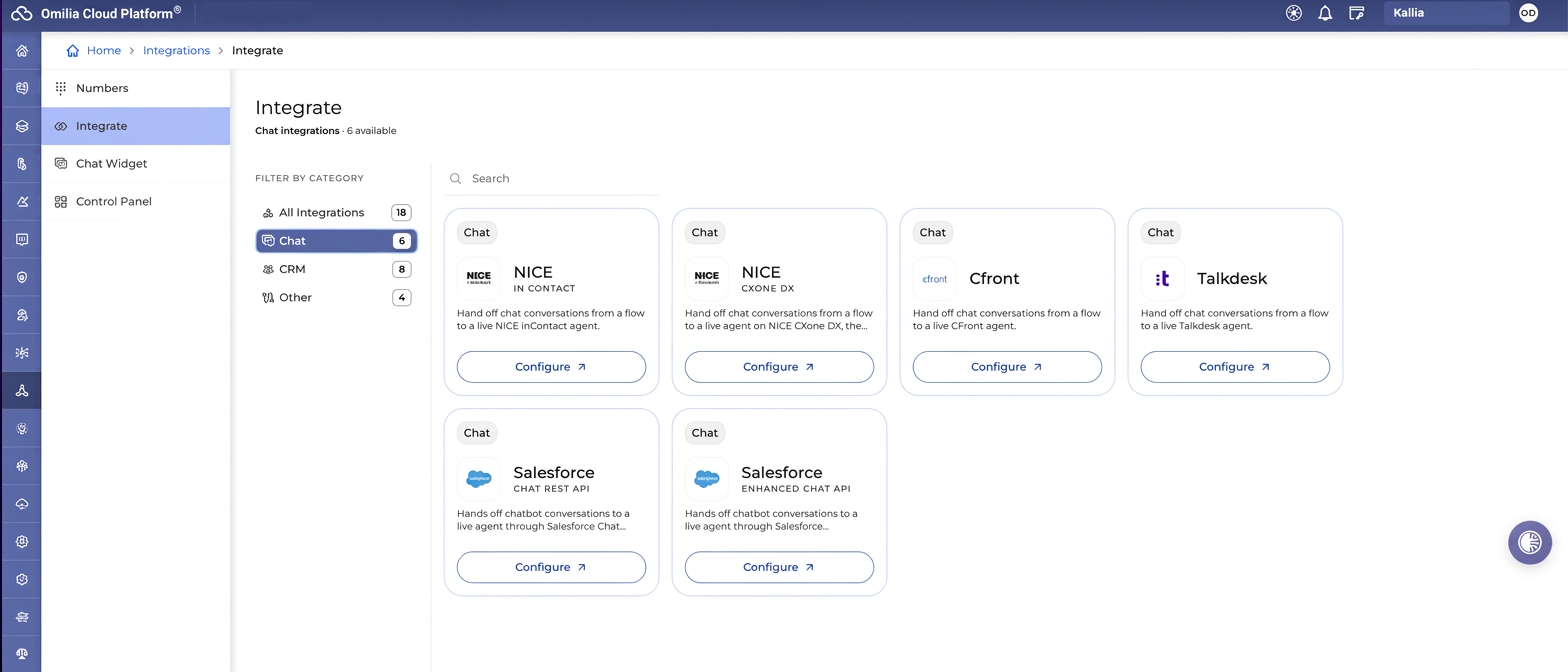
NICE In Contact
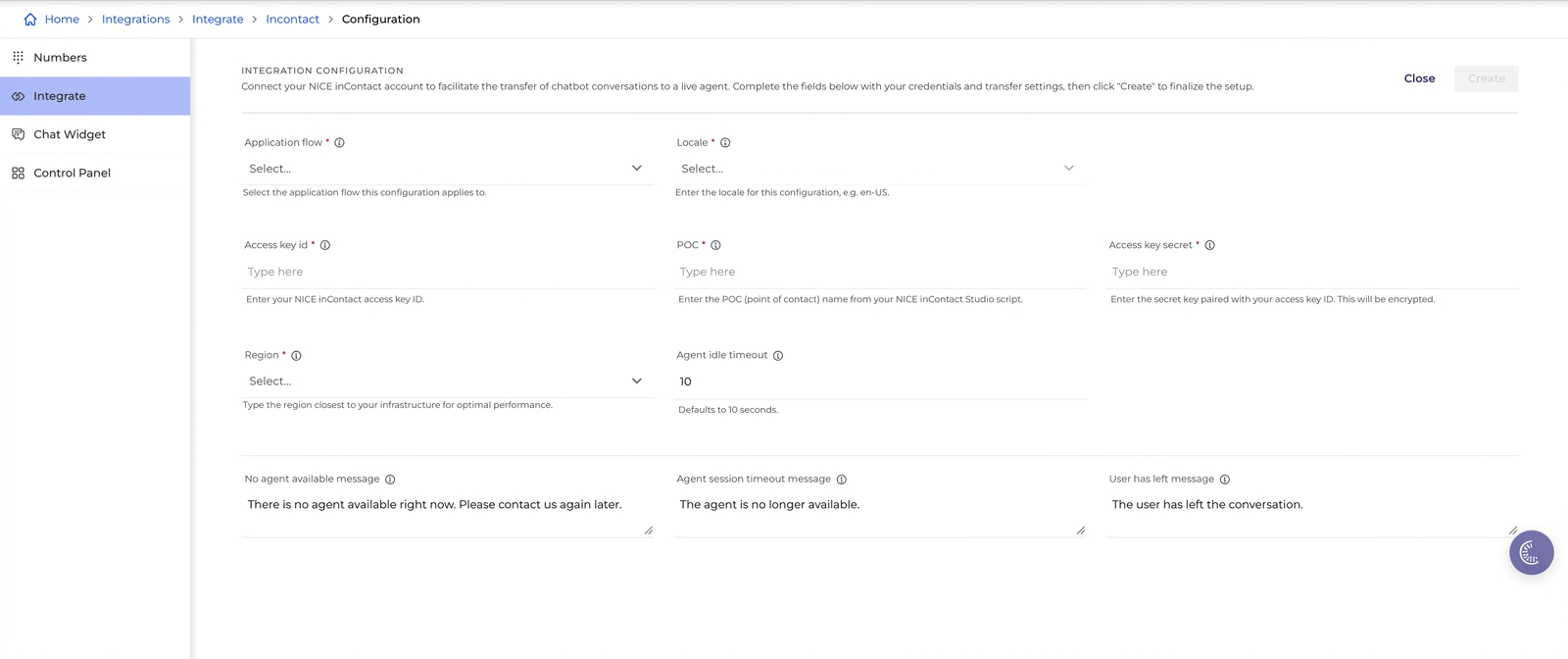
Transfers chat conversations to a live NICE inContact agent.
|
Field |
Required |
Description |
|---|---|---|
|
Application flow |
Yes |
The application flow this configuration applies to. |
|
Locale |
Yes |
For example, en-US. |
|
Access key id |
Yes |
NICE inContact access key ID. You can find this value in your NICE CXone profile under Admin → Users/Employees → select Admin user → Access Keys tab. |
|
POC |
Yes |
The Point of Contact/queue identifier configured in your NICE inContact Studio script or CXone routing configuration. |
|
Access key secret |
Yes |
Secret key paired with the access key ID, encrypted. For details, see How to generate a new NICE Access Key. |
|
Region |
Yes |
The provider region serving your tenant. |
|
Agent idle timeout |
No |
Defaults to 10 minutes. |
|
No agent available message |
No |
The message shown when no agent is available, for example: There is no agent available right now. Please contact us later. |
|
Agent session timeout message |
No |
The message shown when the agent is no longer available, for example: The agent is no longer available. |
|
User has left message |
No |
The message shown when the user leaves the conversation, for example: The user has left the conversation. |
NICE CXone DX
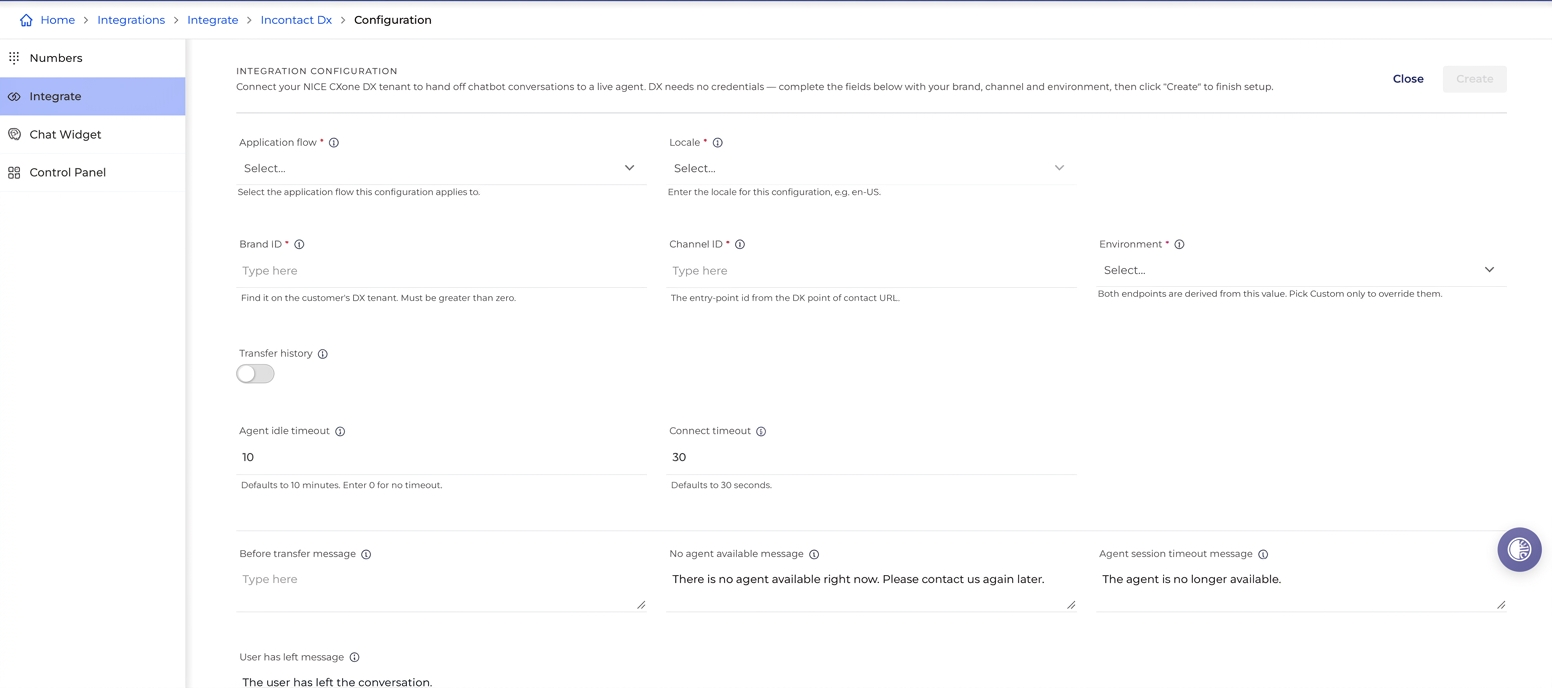
Transfers chat conversations to a live agent on NICE CXone DX, the Digital Experience platform. Unlike the other providers, DX needs no credentials – configuration is based on brand, channel, and environment.
|
Field |
Required |
Description |
|---|---|---|
|
Application flow |
Yes |
The application flow this configuration applies to. |
|
Locale |
Yes |
For example, en-US. |
|
Brand ID |
Yes |
Found in the customer's NICE CXone DX tenant settings/admin console. Must be greater than zero. |
|
Channel ID |
Yes |
The entry-point ID taken from the DX Point of Contact URL. |
|
Environment |
Yes |
The DX hosting environment/cluster domain. Both endpoints are derived from this value. Select Custom to override them. |
|
Transfer history |
No |
When on, the agent sees everything the user said before the transfer. |
|
Agent idle timeout |
No |
Defaults to 10 minutes. Enter 0 for no timeout. |
|
Connect timeout |
No |
Defaults to 30 seconds. |
|
Before transfer message |
No |
The message shown before the transfer starts, for example, Connecting you to an agent, please, hold. |
|
No agent available message |
No |
The message shown when no agent is available, for example: There is no agent available right now. Please, contact us again later. |
|
Agent session timeout message |
No |
The message shown when the agent is no longer available, for example: The agent is no longer available. |
|
User has left message |
No |
The message shown when the user leaves the conversation, for example: The user has left the conversation. |
Cfront
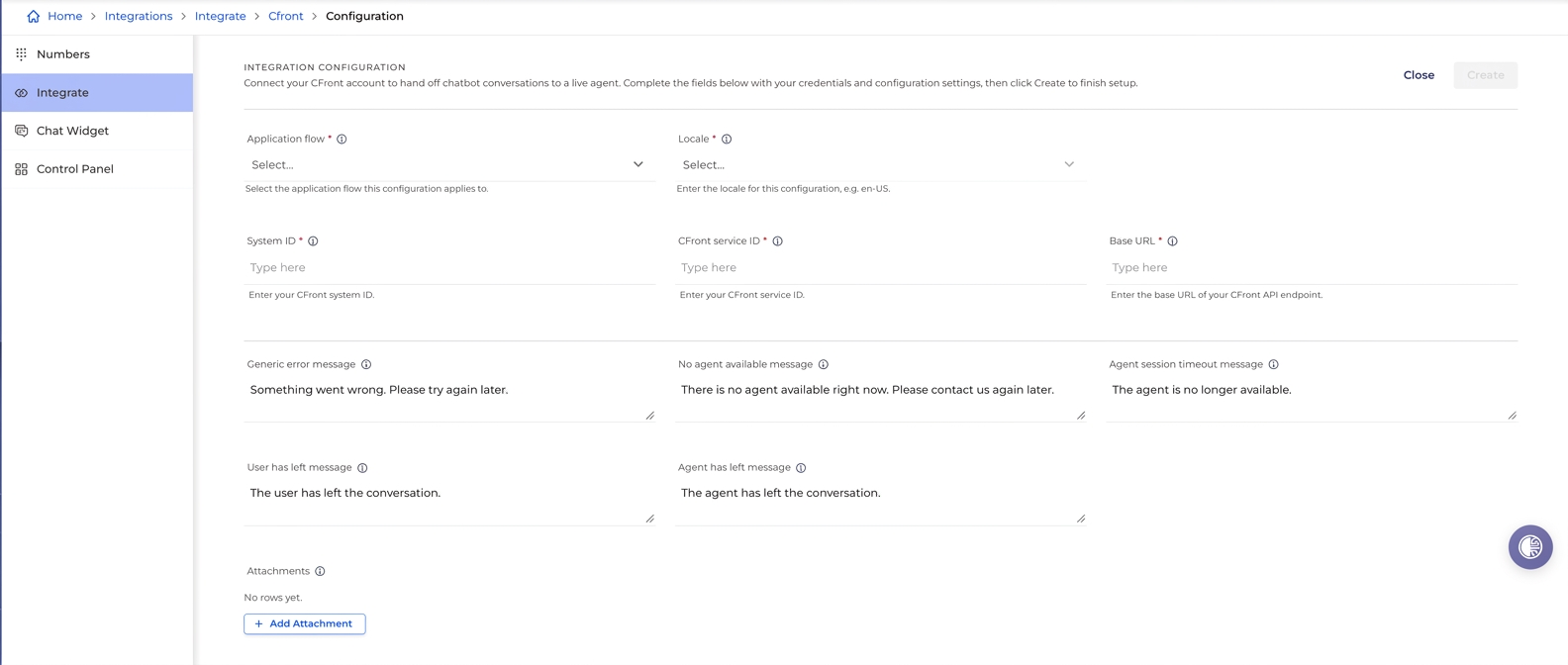
Transfers chat conversations to a live CFront agent.
|
Field |
Required |
Description |
|---|---|---|
|
Application flow |
Yes |
The application flow this configuration applies to. |
|
Locale |
Yes |
For example: en-US. |
|
System ID |
Yes |
The CFront API key granting access to the CFront API. |
|
CFront service ID |
Yes |
The target CFront queue ID. |
|
Base URL |
Yes |
The root URL of the CFront API endpoint. |
|
Generic error message |
No |
Shown on an unexpected error. |
|
No agent available message |
No |
The message shown when no agent is available, for example: There is no agent available right now. Please, contact us again later. |
|
Agent session timeout message |
No |
The message shown when the agent is no longer available, for example: The agent is no longer available. |
|
User has left message |
No |
The message shown when the user leaves the conversation, for example: The user has left the conversation. |
|
Agent has left message |
No |
The message shown when the agent leaves the conversation, for example: The agent has left the conversation. |
|
Attachments |
No |
Add one or more attachment configurations.
Any unsupported file type or files exceeding the maximum size limit are rejected with an error. |
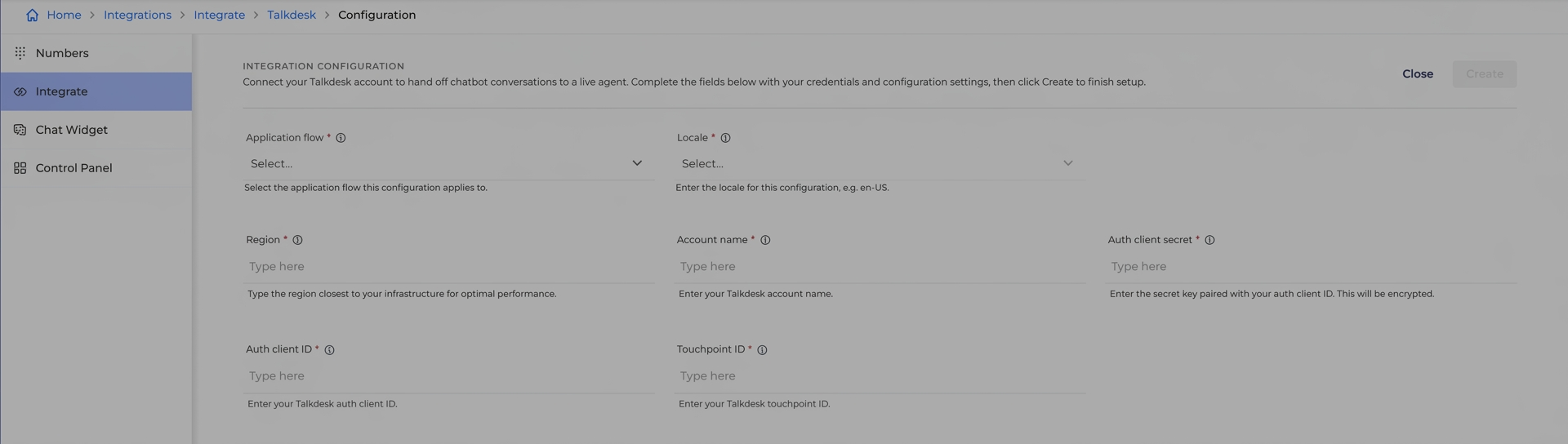
Talkdesk
Transfers chat conversations to a live Talkdesk agent.
|
Field |
Required |
Description |
|---|---|---|
|
Application flow |
Yes |
The application flow this configuration applies to. |
|
Locale |
Yes |
For example: en-US. |
|
Region |
Yes |
Region closest to your infrastructure (US, EU, CA). |
|
Account name |
Yes |
Talkdesk account name found directly in your Talkdesk portal domain URL (https://<account-name>.talkdesk.com). |
|
Auth client secret |
Yes |
Secret key paired with the auth client ID, encrypted. For details, see the Configure OAuth Client section. |
|
Auth client ID |
Yes |
Talkdesk auth client ID. For details, see the Configure OAuth Client section. |
|
Touchpoint ID |
Yes |
Talkdesk touchpoint ID. In Talkdesk, navigate to Admin → Channels → Digital Connect → select the needed touchpoint from the list and copy its Touchpoint ID. Each touchpoint is connected to a specific webhook configuration and Studio flow. Click a touchpoint to see the configured values as shown below.
For details, see Configure a touchpoint. |
Salesforce – Chat REST API
Transfers chatbot conversations to a live agent through Salesforce Chat (REST API).
Salesforce has retired Legacy Chat (REST API). While this integration remains available for existing client implementations and legacy flows, we recommend using Salesforce – Enhanced Chat API (Messaging) for all new setups.
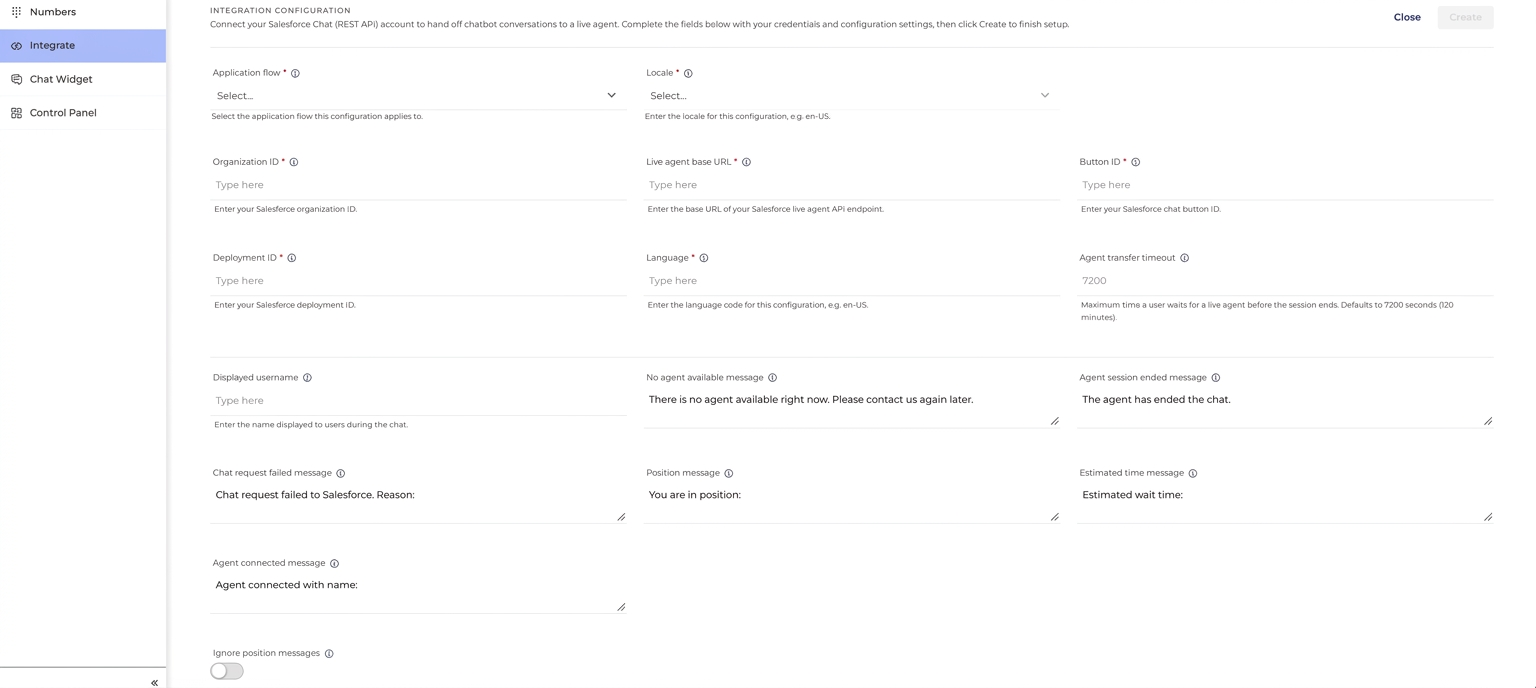
|
Field |
Required |
Description |
|---|---|---|
|
Application flow |
Yes |
The application flow this configuration applies to. |
|
Locale |
Yes |
For example: en-US. |
|
Organization ID |
Yes |
Salesforce organization ID. Located in Salesforce under Setup → Company Information → Salesforce.com Organization ID. For details, see Salesforce Configuration. |
|
Live agent base URL |
Yes |
Base URL of the Salesforce live agent API endpoint. Located in Salesforce under Setup → Deployments (extracted from the |
|
Button ID |
Yes |
Salesforce chat button ID. Located in Salesforce under Service Setup → Chat buttons and Invitations (found in |
|
Deployment ID |
Yes |
Salesforce deployment ID. Located in Salesforce under Setup → Deployments (extracted from the |
|
Language |
Yes |
Language code, for example: en-US. |
|
Agent transfer timeout |
No |
Maximum time a user waits for a live agent before the session ends. Defaults to 7200 seconds (120 minutes). |
|
Displayed username |
No |
Name displayed to users during the chat. |
|
No agent available message |
No |
The message shown when no agent is available, for example: There is no agent available right now. Please, contact us again later. |
|
Agent session ended message |
No |
The message shown when the agent ends the chat, for example: The agent has ended the chat. |
|
Chat request failed message |
No |
The message shown when the chat request to Salesforce fails, for example: Chat request failed to Salesforce. Reason: {reason} |
|
Position message |
No |
The message shown the user's queue position, for example: You are in position: {n} |
|
Estimated time message |
No |
The message shows the estimated wait time, for example: Estimated wait time: {time} |
|
Agent connected message |
No |
The message shown when an agent connects, for example: Agent connected with name: {name} |
|
Ignore position messages |
No |
When on, the toggle suppresses the position message. |
|
Prechat details |
No |
Add key-value pairs collected before a chat begins. These predefined pairs capture information gathered from customers before a session and let you personalize the chat and improve service. |
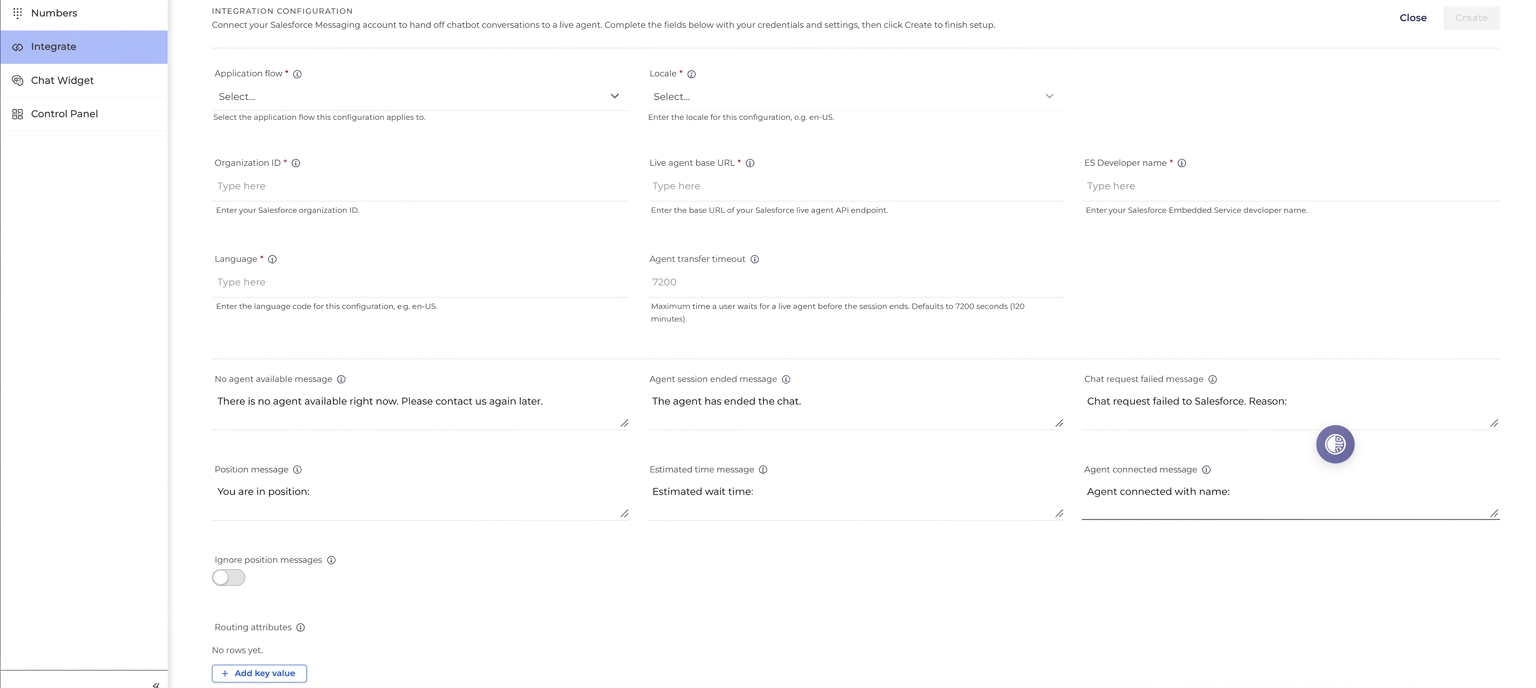
Salesforce – Enhanced Chat API (Messaging)
Transfers chatbot conversations to a live agent through Salesforce Messaging.
|
Field |
Required |
Description |
|---|---|---|
|
Application flow |
Yes |
The application flow this configuration applies to. |
|
Locale |
Yes |
For example: |
|
Organization ID |
Yes |
Salesforce organization ID. Located in Salesforce under Setup → Company Information → Salesforce.com Organization ID. For details, see Salesforce Configuration. |
|
Live agent base URL |
Yes |
Base URL of the Salesforce live agent API endpoint. Located in Salesforce under Setup → Deployments (extracted from the |
|
ES Developer name |
Yes |
Developer name of the Embedded Service Deployment in Salesforce Setup. |
|
Language |
Yes |
Language code, for example: en-US. |
|
Agent transfer timeout |
No |
Maximum time a user waits for a live agent before the session ends. Defaults to 7200 seconds (120 minutes). |
|
No agent available message |
No |
The message shown when no agent is available, for example: There is no agent available right now. Please, contact us again later. |
|
Agent session ended message |
No |
The message shown when the agent ends the chat, for example: The agent has ended the chat. |
|
Chat request failed message |
No |
The message shown when the chat request to Salesforce fails, for example: Chat request failed to Salesforce. Reason: {reason} |
|
Position message |
No |
The message shown the user's queue position, for example: You are in position: {n} |
|
Estimated time message |
No |
The message shows the estimated wait time, for example: Estimated wait time: {time} |
|
Agent connected message |
No |
The message shown when an agent connects, for example: Agent connected with name: {name} |
|
Ignore position messages |
No |
When on, the toggle suppresses position messages. |
|
Routing attributes |
No |
Add key-value pairs collected before a chat begins. These predefined pairs capture information gathered from customers before a session, allowing you to personalize the chat and improve service. |