.svg)
Sign in
Welcome to OCP®.
To sign up, follow these steps:
-
Go to http://ocp.ai
-
Click the Sign Up button to register your account.

3. Fill in your details as requested and use a strong password using at least one lower and one upper case letter.
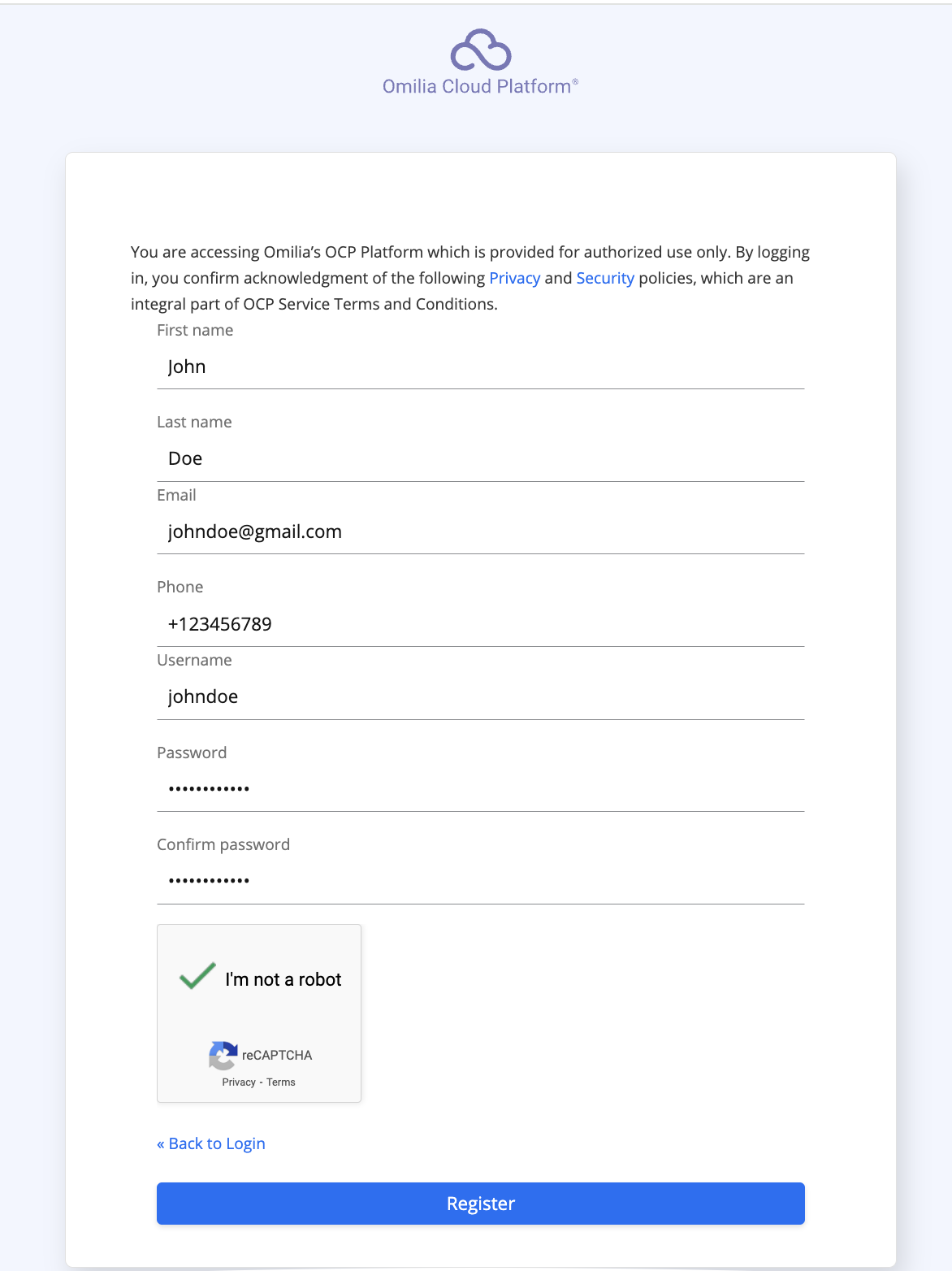
4. Click Register to continue.
5. Check your inbox for a mail verification message and click the activation link to verify your account.
The activation link is only valid for five minutes. After the link expires, the registration process has to be repeated.
Verification may take up to 48hrs.
If you are an Organization’s admin, refer to the Access Management page for managing resources.
For comprehensive details on logging in, including security policies and account reactivation procedures, refer to the Logging in and logging out guide.