.svg)
In this tutorial, you can learn how to configure a re-ask prompt after you have created an Announcement miniApp.
How to configure a re-ask prompt
To configure the re-ask prompts, follow the steps below:
-
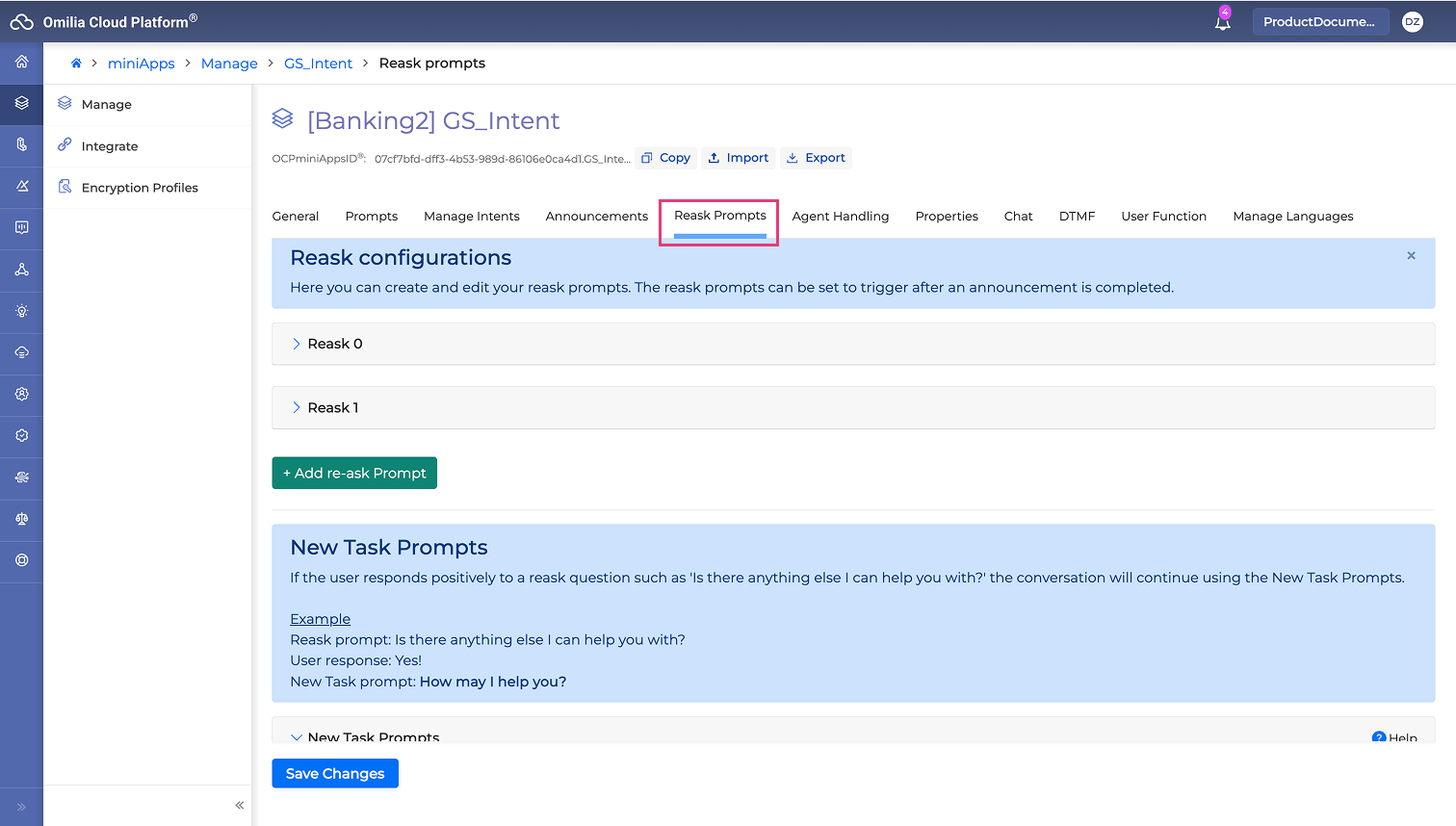
Open miniApps → Manage and select the GS_Intent miniApp.
-
Select the Reask Prompts tab. The re-ask prompts are numbered in order of priority starting from zero. There you have the options to:
-
Edit existing re-ask prompts.
-
Click the x button to delete unwanted re-ask prompts.
-
Click the +Add re-ask Prompt button to create a new re-ask prompt.
-
-
Add a new re-ask prompt and fill in Prompt1 with the phrase “Anything else?”.
-
Click the Save Changes button.
-
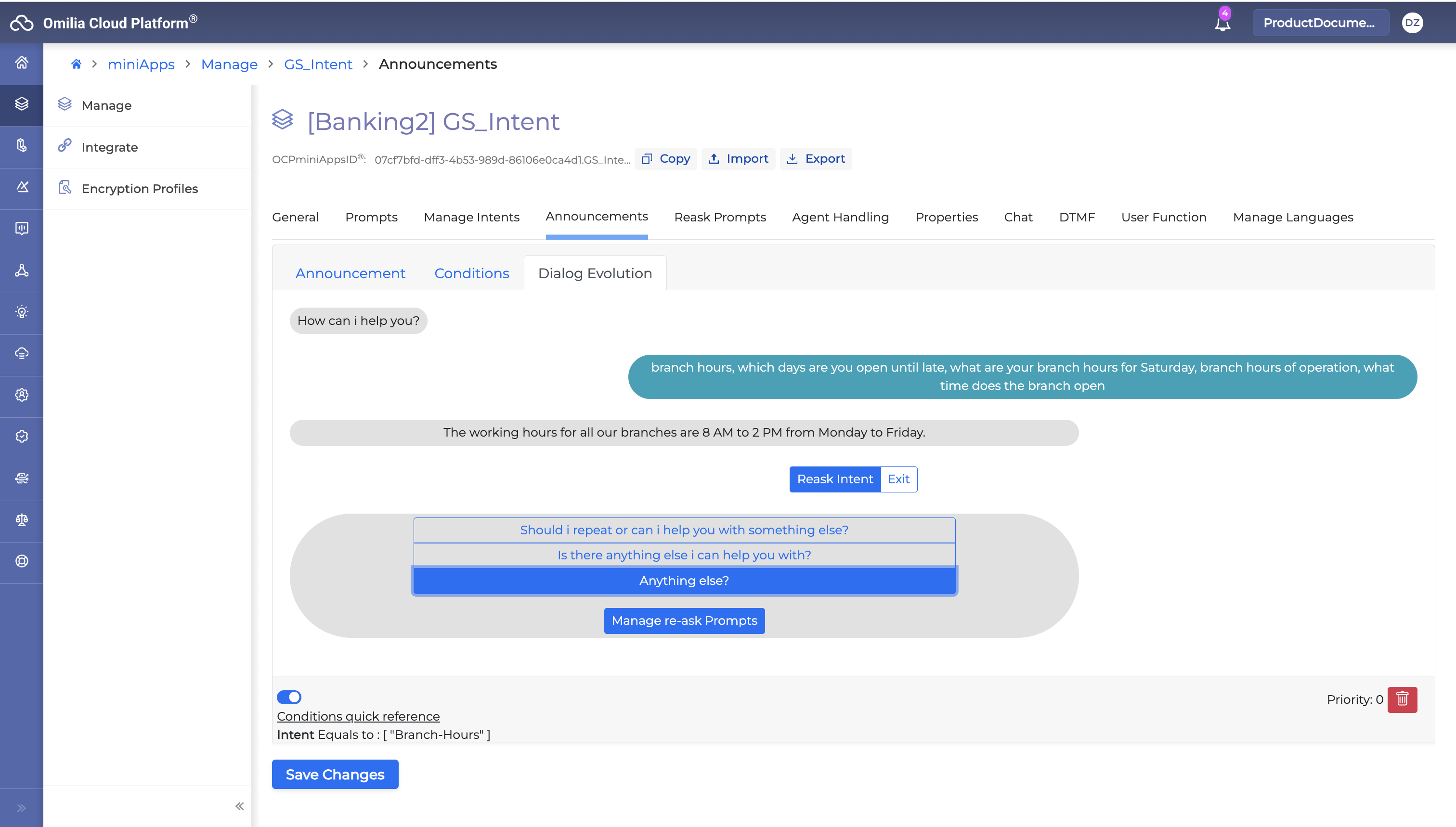
Navigate to Announcement → Dialog Evolution sub-tab.
-
Select the new re-ask prompt “Anything else?”.
7. Place a call to see and test how it works